Notifications
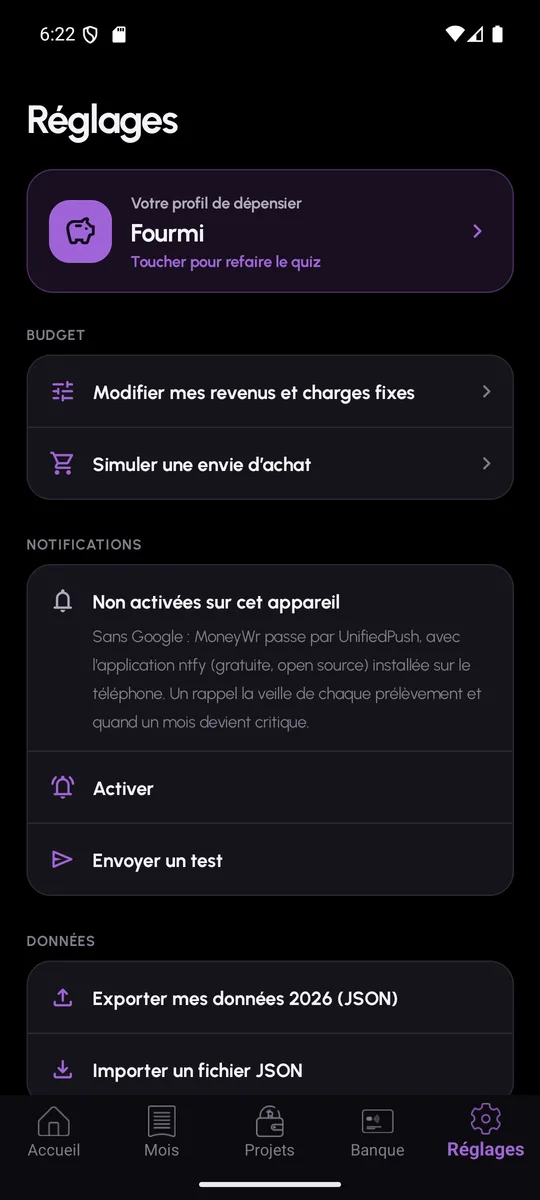
Notifications are calculated on the server, once a day or when an event occurs, and delivered through Firebase or, without Google services, through UnifiedPush. They can be switched on and off device by device.
What MoneyWr tells you about
Each notification matches a specific situation in your budget. You do not receive several a day for the same reason: a server-side log prevents duplicates.
- Payment today: a fixed cost falls due that day
- Projects of the month: what your projects commit you to this month
- Overdraft looming and critical balance
- End-of-month forecast when it worsens
- High expense recorded during the month
Firebase, or UnifiedPush without Google
On a phone with Google Play services, notifications go through Firebase Cloud Messaging; they contain only the title and text of the alert. On a phone without Google services, MoneyWr uses UnifiedPush: you install the ntfy app, free and open source, which acts as the distributor, with no Google account.
The settings let you turn notifications on, send a test notification and switch them off on this device. Firebase is tried first; UnifiedPush is only used if Google services are absent.
Notifications: frequently asked questions
Is ntfy necessary?
Only on a phone without Google services. ntfy is a UnifiedPush distributor: it receives the notification and hands it to MoneyWr, with no account and no ads. With Google Play services there is nothing to install: notifications go through Firebase.
Can I choose which notifications I receive?
You can turn them on or off per device. Fine-grained control by type of notification is not available yet.