Features

What MoneyWr does, screen by screen.

Eight features, one idea: know where your account will stand at the end of every month, and decide with that information rather than without it.

Monthly budget

One income, a starting balance, your fixed costs: MoneyWr projects your whole year in a few minutes.

The budget is the foundation of MoneyWr. You set it up once, and the app works out your expected end-of-month balance, month after month, and warns you when a month looks tight.

Monthly budget in detail
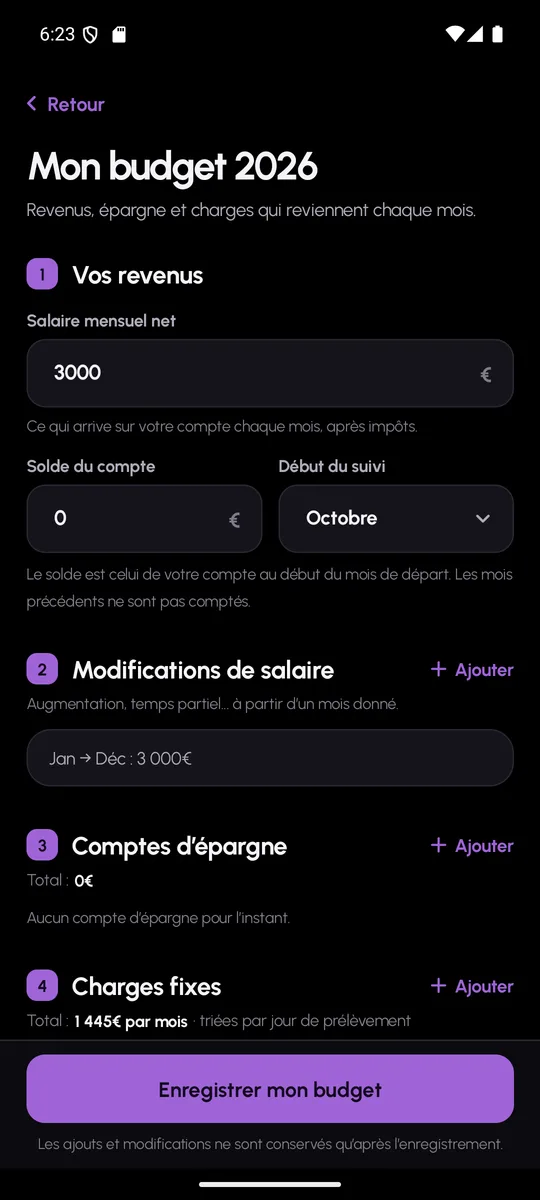
MoneyWr budget set-up screen: monthly income, balance and fixed costs

Month-by-month tracking

Every month has its own page: income, costs by day, unplanned items, actual salary, savings and closing balance.

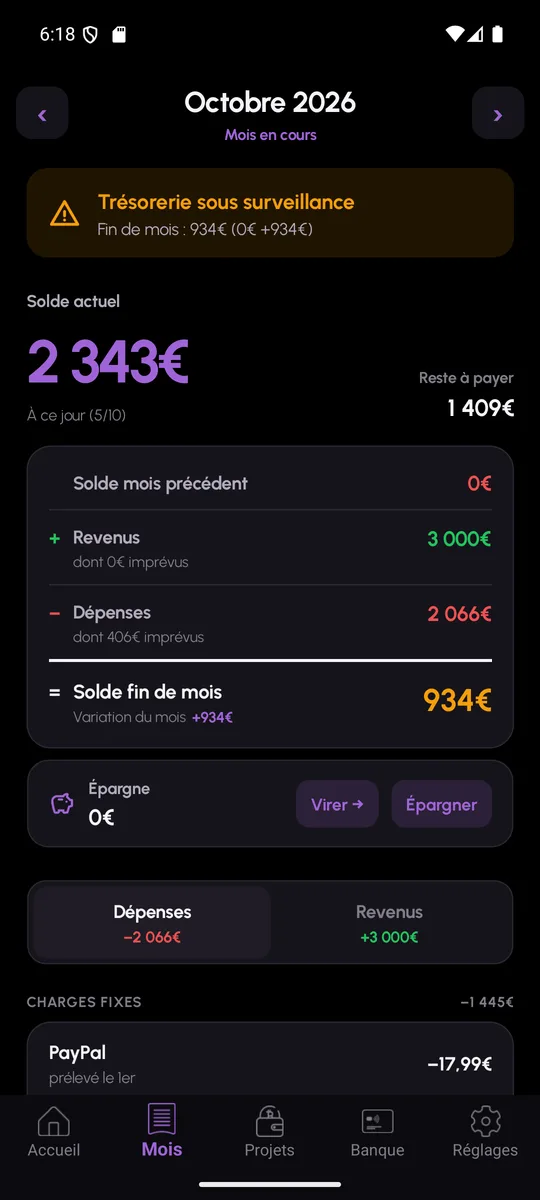
The Month tab is the heart of everyday use. You see what has already been taken, what is still to pay and what your balance should be at the end of the month, taking into account what you add along the way.

Month-by-month tracking in detail
Month detail in MoneyWr: closing balance, fixed costs and unplanned spending

Projects

Holidays, a car, building work: each project is spread over the months and tracked down to the last euro.

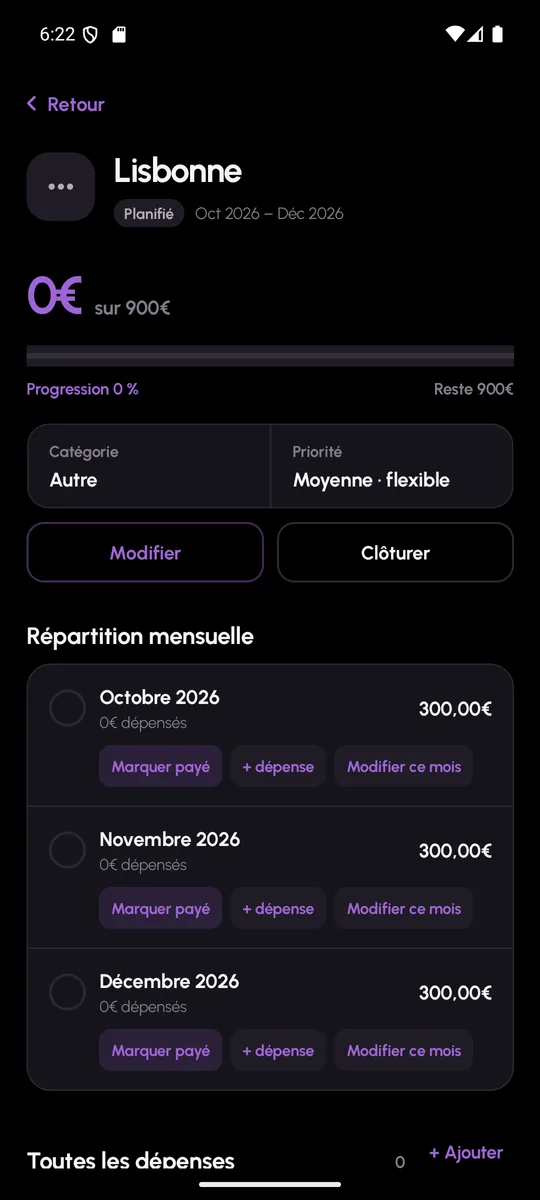
A project is an expense that goes beyond a single month: MoneyWr splits it into monthly instalments, builds them into the forecast and compares what was planned with what was actually spent.

Projects in detail
Project detail in MoneyWr: spread by month, amount paid and amount remaining

Impulse buy

Before you buy, simulate: MoneyWr gives a verdict and shows your balance before and after.

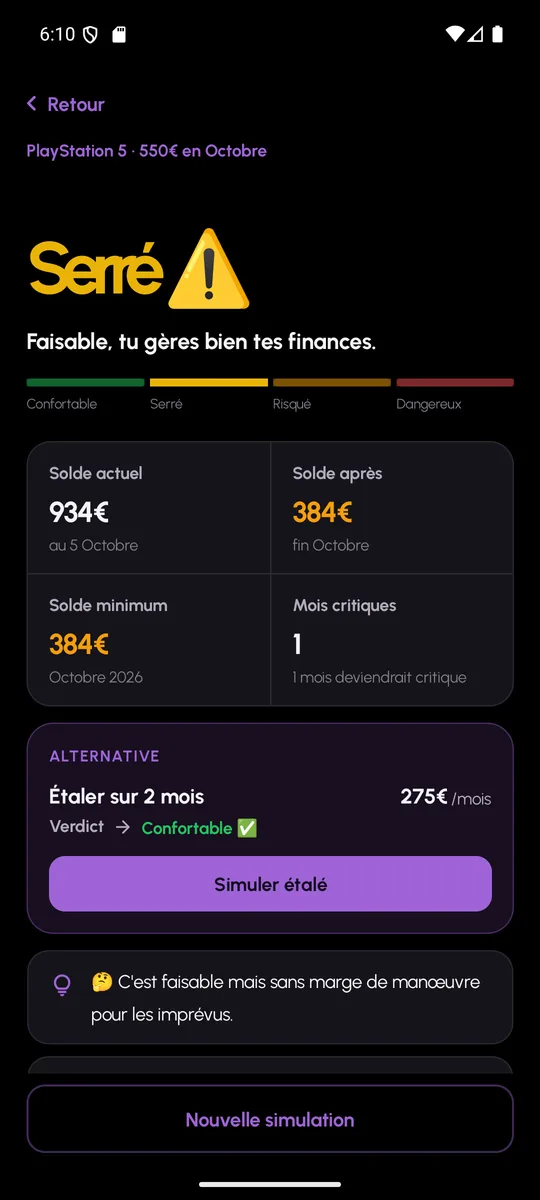
Impulse buy answers one question: can I afford it? Not by gut feeling, but with your real budget, your costs and the projects you have already committed to.

Impulse buy in detail
Purchase simulation in MoneyWr: verdict, balance before and after, spread-out alternatives

Spender profile

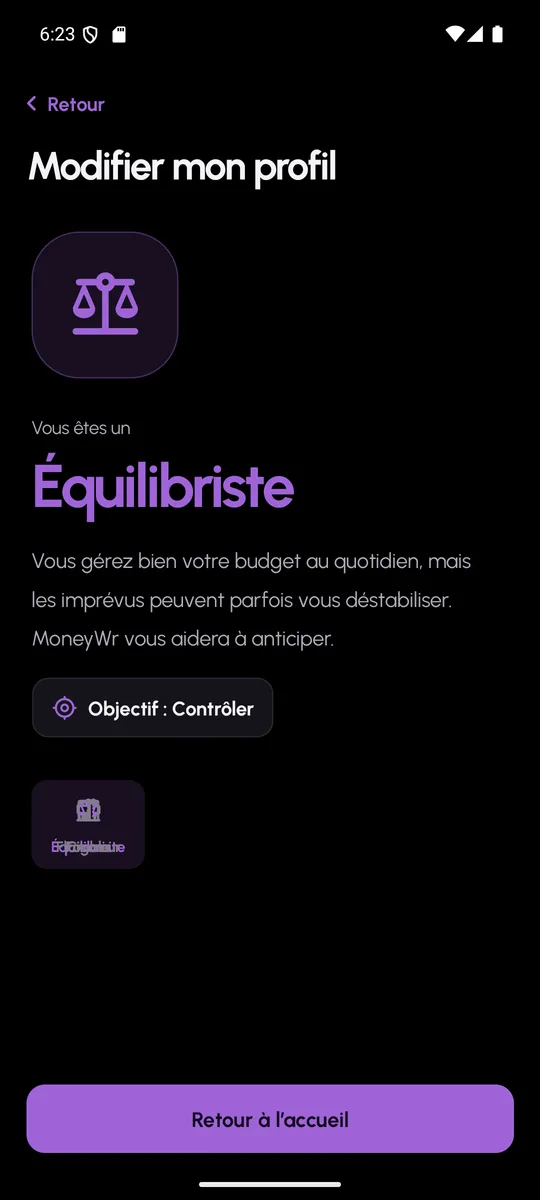
Five questions, one profile: Ant, Tightrope walker, Grasshopper or Big spender, and a goal to stick to.

Before talking numbers, MoneyWr asks how you live with money. The resulting profile appears on the home screen and shapes the app’s advice.

Spender profile in detail
Result of the spender profile questionnaire in MoneyWr

AI analysis

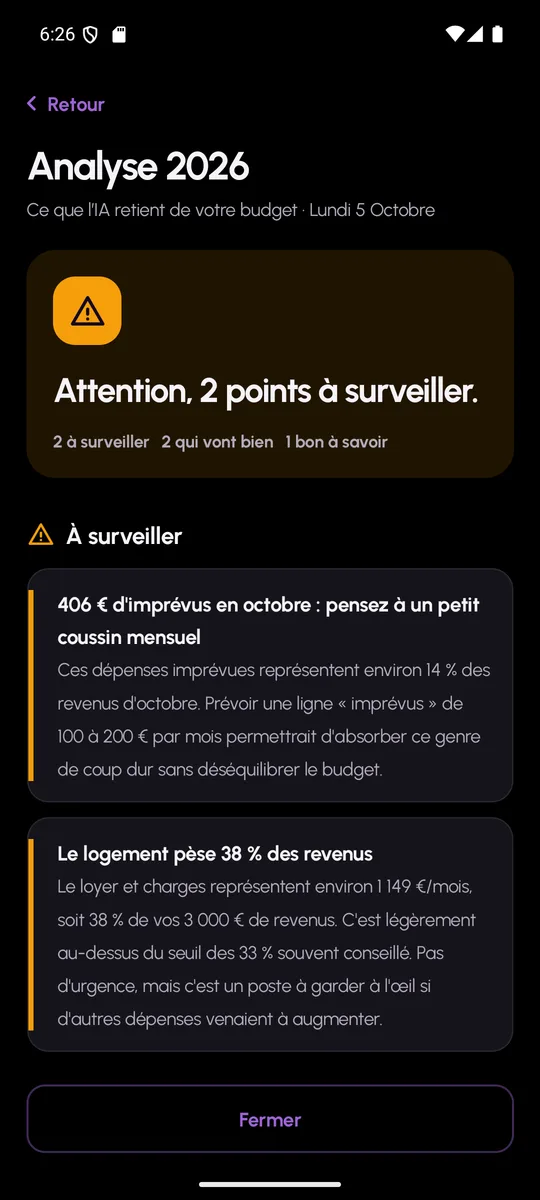
The AI reads back over your year and tells you, in a few sentences, whether all is well and where to look.

The analysis only runs when you ask for it. It receives only amounts, descriptions and categories, and replies with advice you can follow or ignore.

AI analysis in detail
AI analysis report in MoneyWr: advice ranked by severity

Bank connection

Your transactions arrive on their own, read-only, through a regulated provider. You sort, MoneyWr files.

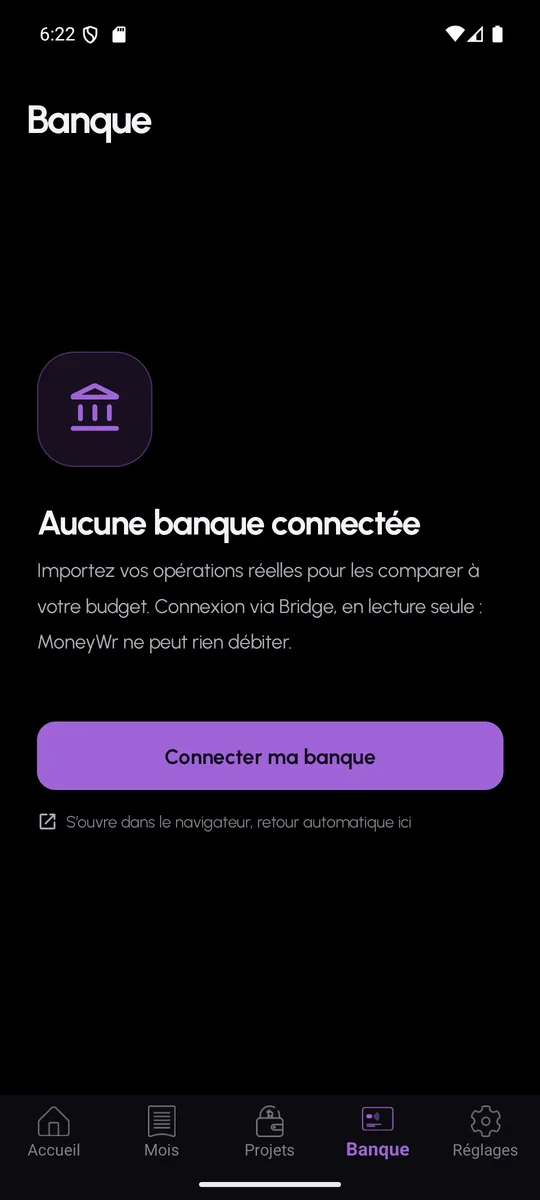
The bank connection is optional. It saves you from entering unplanned items by hand: you see your latest transactions and decide which ones count in your budget.

Bank connection in detail
MoneyWr Bank screen: connected accounts and transactions to sort

Notifications

Payment due today, overdraft looming, projects of the month: useful reminders, on every Android phone.

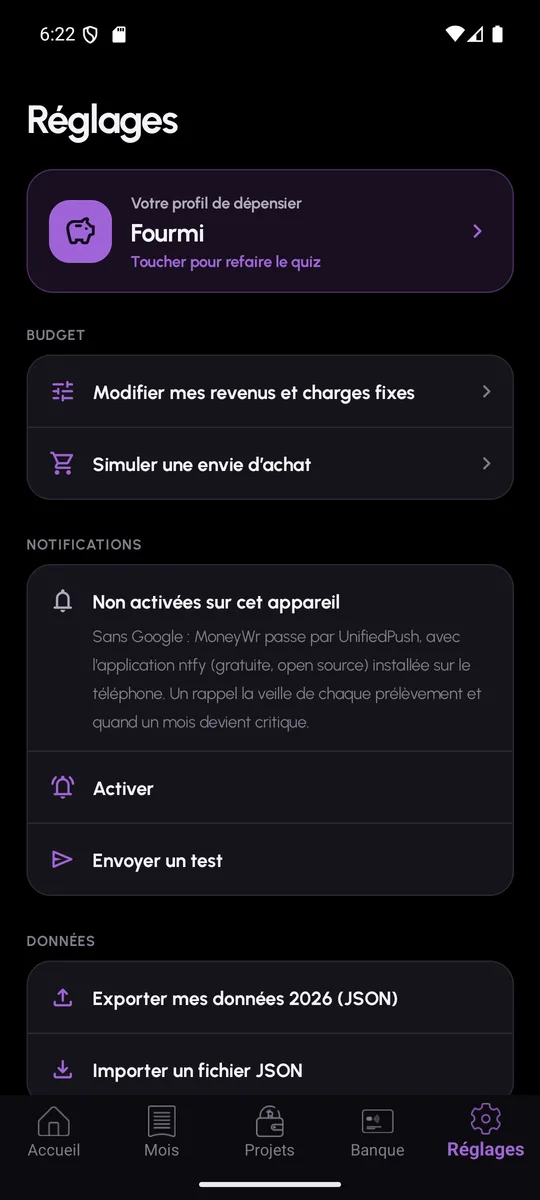
Notifications are calculated on the server, once a day or when an event occurs, and delivered through Firebase or, without Google services, through UnifiedPush. They can be switched on and off device by device.

Notifications in detail
MoneyWr settings: turning on notifications and exporting data
Coming soon to Android and iPhone

Know where the money goes, before it’s gone.

MoneyWr is in testing. The Android version arrives on Google Play after the closed testing period. Until then, find out what the app does, and what it will never do with your data.

Coming soon toGoogle Play

Coming soon toApp Store

Android first · iOS later

See the features Security and data