AI analysis
The analysis only runs when you ask for it. It receives only amounts, descriptions and categories, and replies with advice you can follow or ignore.
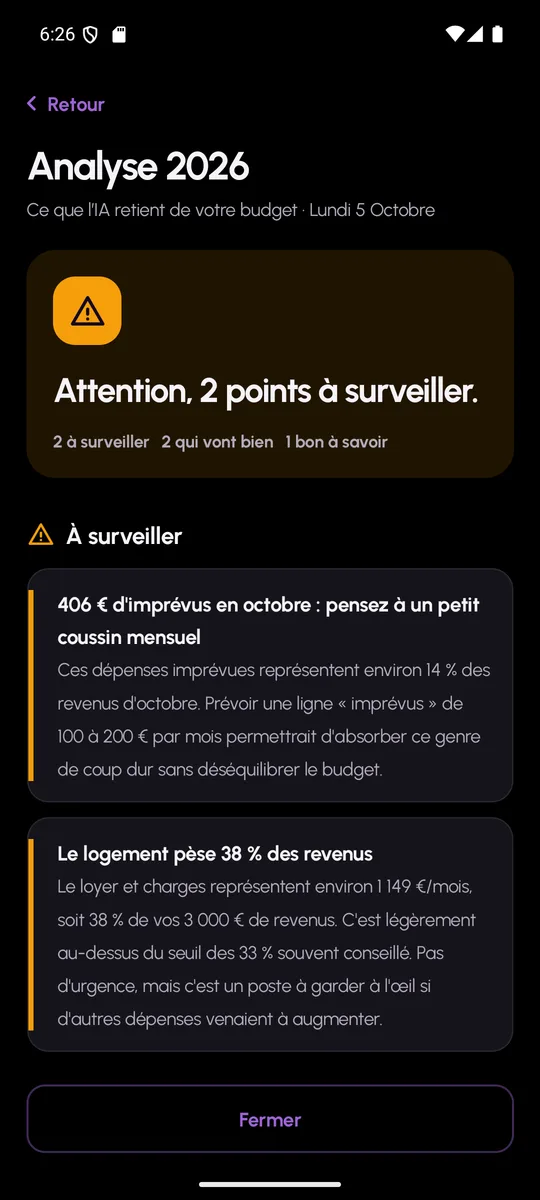
Analyse my year
From the home screen, a button sends your forecast to the AI: income, costs, projects, unplanned items, critical months. In return you receive a list of short pieces of advice, each with a title, an explanation and a level: all good, worth noting, or warning.
The analysis takes about ten seconds. It changes nothing in your budget and contains no personalised investment advice: MoneyWr is not a financial adviser and does not claim to be.
Categorise bank transactions
When a bank is connected, each transaction imported from the bank or from a statement receives the category you have already given to a similar description: MoneyWr learns from your corrections, and these rules can be viewed in the app. The AI can categorise the rest from the description, among the app’s categories. You stay in control: every transaction can be corrected by hand.
- No identity data sent: no name, no e-mail, no IBAN
- Triggered only at your request
- AI provider can be swapped on the server side
- Can be switched off: without AI, the app works in full
AI analysis: frequently asked questions
What data does the AI receive, exactly?
Amounts, descriptions, categories and months. Never your name, your e-mail, your credentials or your account numbers.
Can I use MoneyWr without the AI?
Yes. The analysis button only appears if the AI is enabled on the server, and all the other features are independent.